macOS · lives in your menu bar

Every copy, remembered.
Every secret, secured.

ClipVault keeps a searchable history of everything you copy (text, links, and images) and automatically locks passwords and cards behind Touch ID. All on your Mac. No cloud, no tracking.

AES-256 Encrypted
100% On-device
Zero Trackers
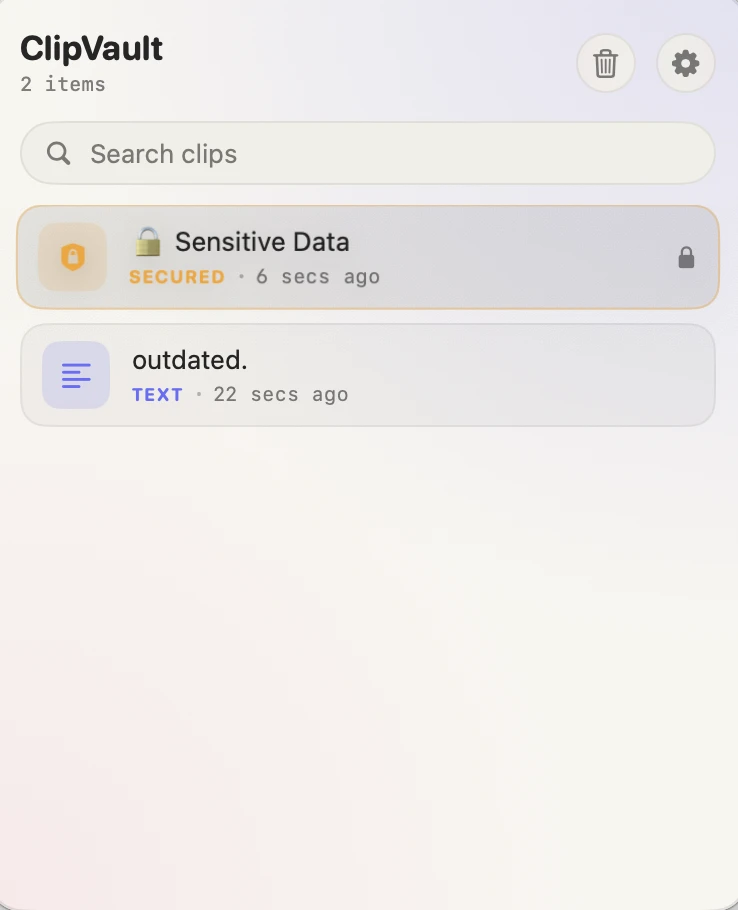
ClipVault showing clipboard history with a secured item and a text clip
Auto-locked
Touch ID required
Encrypted at rest
Keychain-backed key
COLOR-CODED AT A GLANCE TEXT LINK IMAGE SECURED

Quietly capable. Seriously private.

Everything you'd want from a clipboard manager, without ever sending a byte off your Mac.

Searchable history

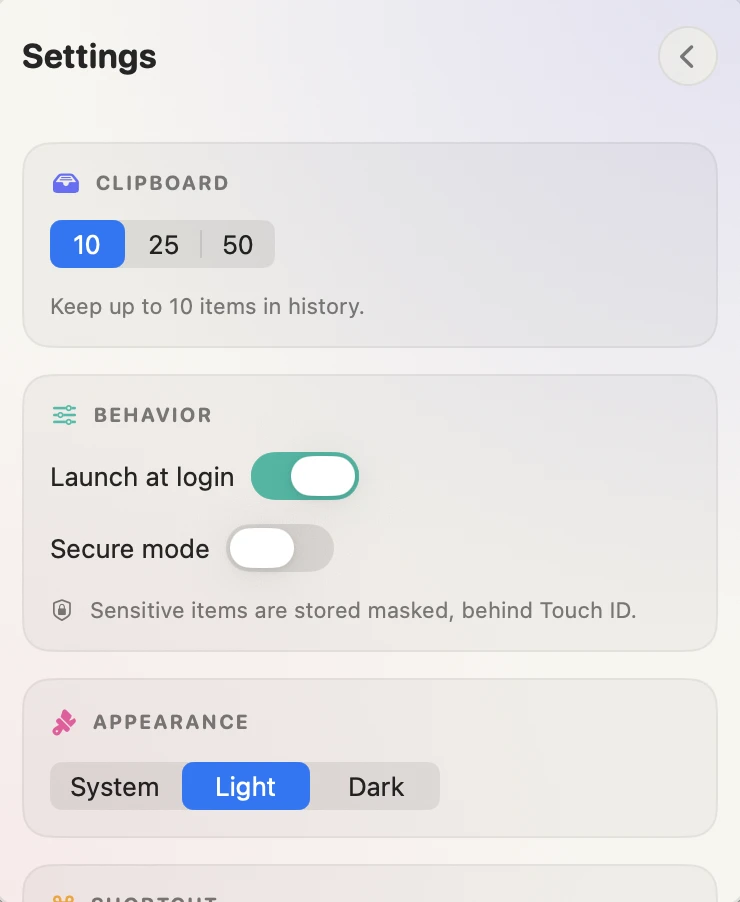
Your last 10, 25, or 50 copies, kept in order and instantly searchable. Click any clip to drop it back on your clipboard, and it even jumps to the top.

Secrets lock themselves

Passwords, cards, and tokens are detected automatically, masked in your history, and revealed only after Touch ID. You never have to flag them.

AES-256 encrypted

Sensitive clips are encrypted at rest with a key held in the macOS Keychain, not in plain text.

100% on your Mac

No servers, no sync, no analytics. ClipVault never touches the network, so there's nothing to leak.

Global ⌘⇧V

Summon ClipVault from any app, appearing right by your cursor. No Accessibility permission needed.

Smart detection

Recognizes passwords, credit cards, SSNs, and developer secrets (API keys, JWTs, AWS keys, GitHub & Slack tokens, private keys), and shields them before they ever sit in plain text.

Out of the way

Lives in the menu bar: no Dock clutter, launches at login, follows Light or Dark mode, and clears its clipboard secrets on a timer.

Built like a vault

Your secrets stay sealed.

The moment ClipVault spots a password or card, it locks it down: encrypted on disk, opened only by you.

AES-256-GCM encryption

Sensitive clips are sealed with a 256-bit key generated and stored in the macOS Keychain, never written to disk in the clear.

Touch ID to reveal

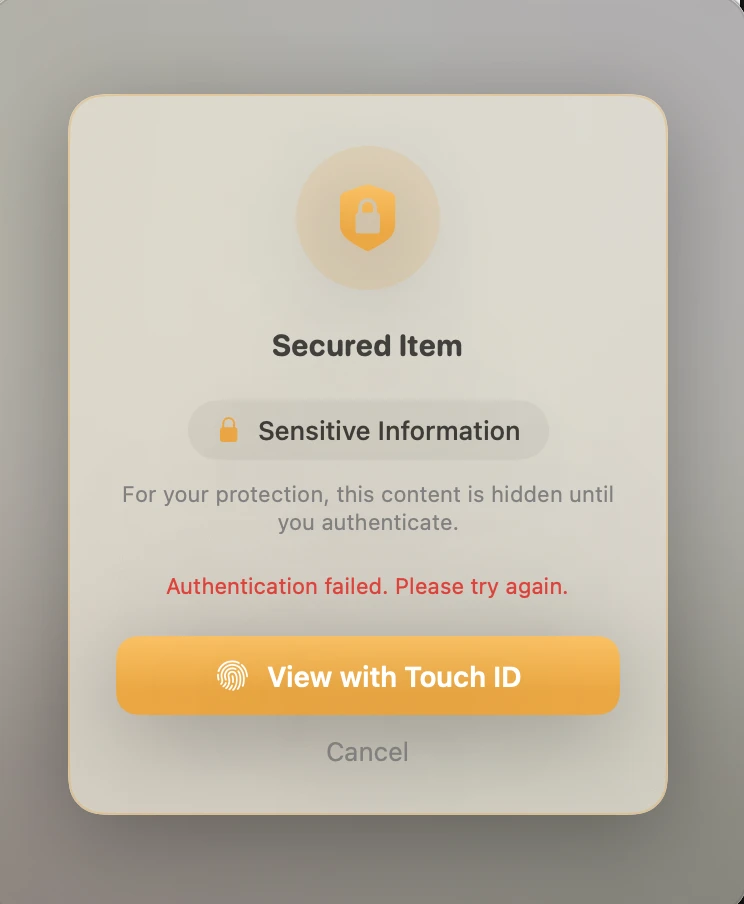
Viewing or copying a secured item requires your fingerprint. Your biometrics never leave the Secure Enclave.

Smart auto-clear

After you copy a secret, ClipVault wipes it from the clipboard, but only if you haven't copied something new since.

Secure mode & sandbox

Flip on Secure mode to keep sensitive items out of history entirely. The app runs sandboxed with hardened runtime and no network access.

ClipVault asking for Touch ID to reveal a secured item

It just works, the moment you install it

No setup, no configuration. Copy like you always do.

1

Copy anything

Use ⌘C as usual. ClipVault watches the clipboard quietly from the menu bar.

2

It remembers

Text, links, and images are saved in order. Passwords and cards are locked automatically.

3

Recall in a tap

Press ⌘⇧V, search, and click to copy. Secured items unlock with Touch ID.

Designed for macOS

Frosted, fluid, and right at home on your desktop.

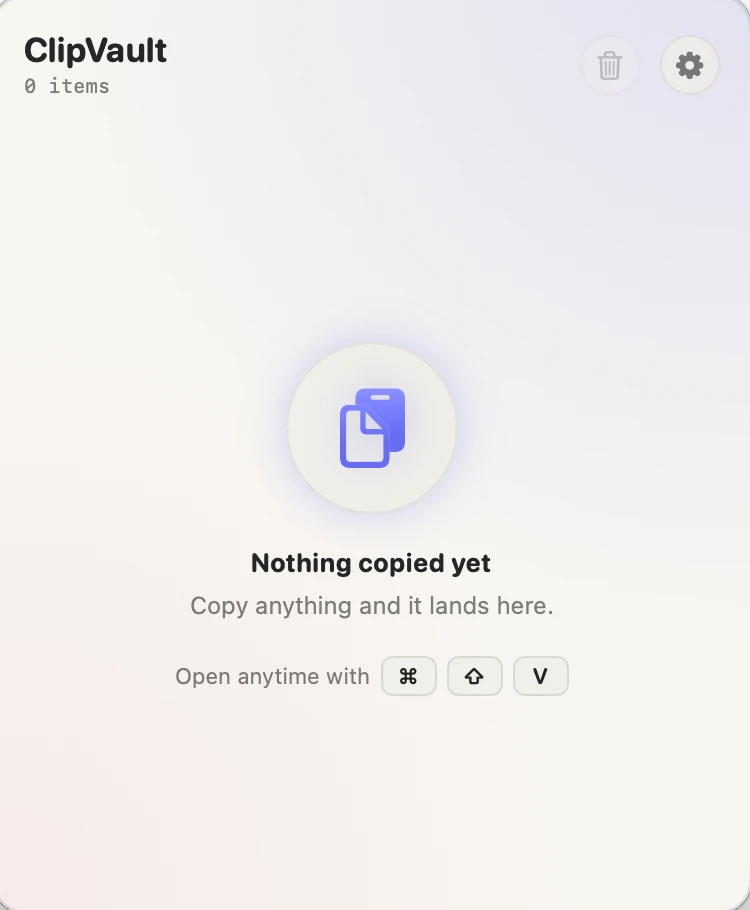
ClipVault empty state inviting you to copy something
READY & WAITING
ClipVault settings with history size, behavior, and appearance
TUNE IT YOUR WAY
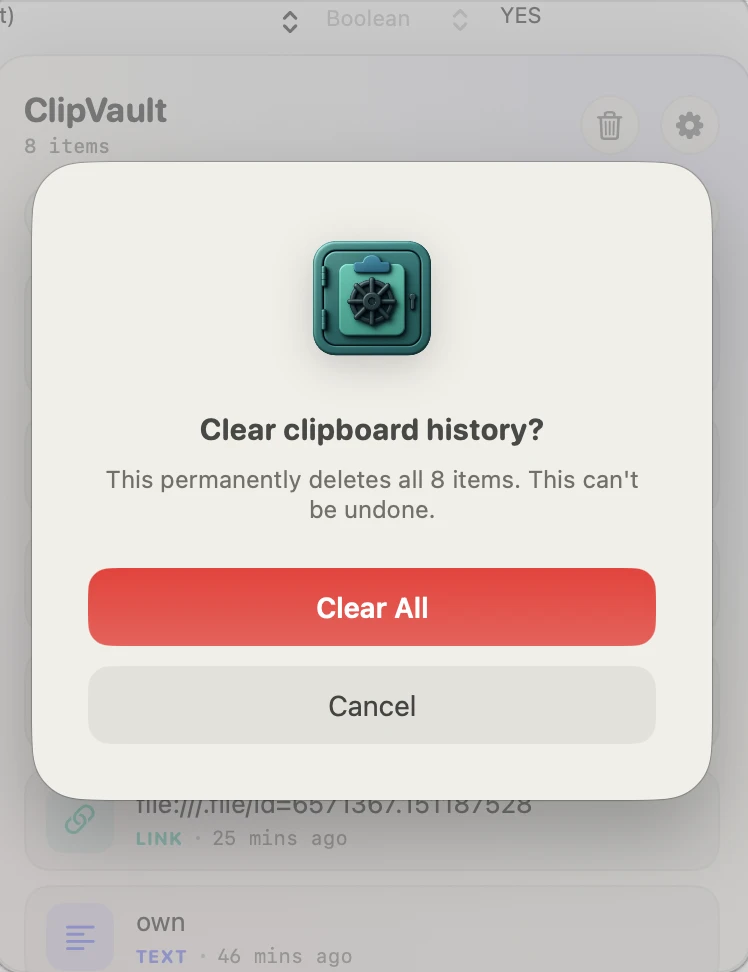
ClipVault clear history confirmation
ONE-TAP CLEAR

Give your clipboard a memory and a lock.

A one-time purchase on the Mac App Store. No subscription, no account, no tracking.

Download on the Mac App Store

macOS 26 or later · Universal (Apple Silicon & Intel)